Internet Explorer Security Instructions
|
If you have QuickTime installed on your computer, you may still be lacking certain QuickTime components that are required. Check the QuickTime instructions page for more information. If Internet Explorer blocks the QuickTime plug-in, a sound is heard and a light yellow security information bar appears at the top of the page (below the menu bar and IE7 tabs): 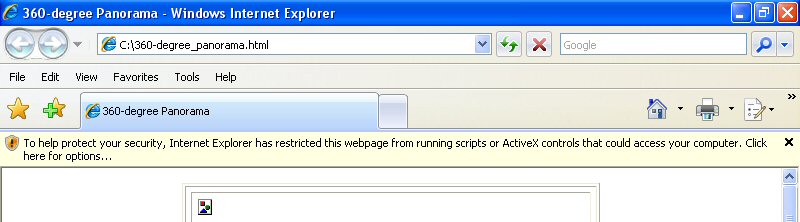 Click within the yellow bar. A menu will appear: 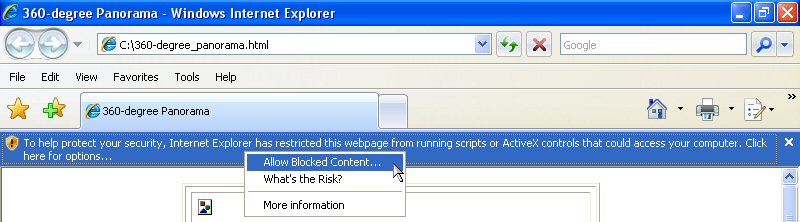 Click on the first option, Allow Blocked Content.... A confirmation box will appear. 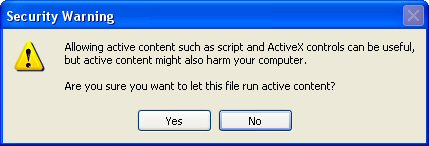 Click Yes to allow Internet Explorer to run the QuickTime plug-in. One more box will appear: 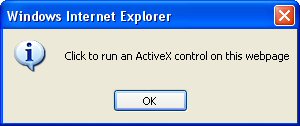 Since this is the only choice you have, click on OK. The QuickTime plug-in will proceed to run and download the panorama. |
Dion and Jeffery's Home on the Web
Photo Galleries | Video GalleryDion and Jeffery's Bio's | Contact Us
Updated 09/17/2019 • Copyright
© 2019 Corson Productions •  Made
with
KompoZer
Made
with
KompoZer


